
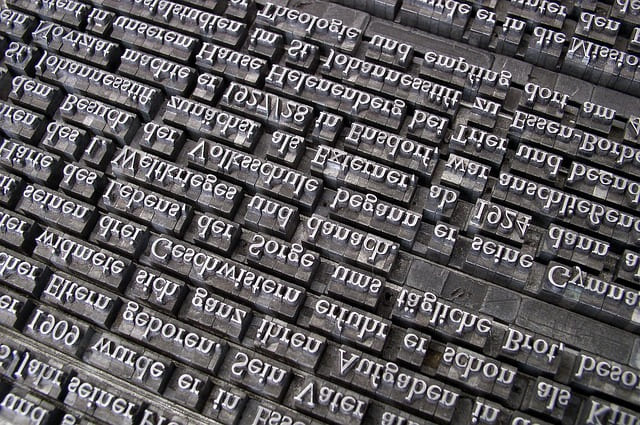
Many people still work with old files created in Shree Lipi. These files come from old print shops, school labs, office archives and past design projects. Shree Lipi was common before Unicode became standard. It worked on old systems and gave stable shapes. But today, almost every device uses Unicode. When someone needs to edit or share an old Shree Lipi file, they face a big problem. The text does not load on modern apps. The letters break. Some shapes turn into random signs. A shree lipi to unicode converter solves this.
This guide explains why the conversion matters, how the tool works and how students, teachers and office workers use it. You will learn how to clean your file, avoid mistakes and get neat Unicode text from any old Shree Lipi document.
Why Shree Lipi was used earlier
Shree Lipi became popular many years ago. It worked on early computers, old print machines and basic design tools. Many newspapers, print shops and schools used it for:
- exam papers
- worksheets
- notices
- book design
- wedding cards
- pamphlets
- banners
Its shapes were fixed and easy to print. But the font system was not Unicode. It did not follow modern rules. It worked only on certain machines.
Why Unicode is needed now
Unicode became the main text format across all devices. It works on:
- phones
- laptops
- online forms
- school portals
- design apps
- websites
When you type in Unicode, the letters stay the same everywhere. You can edit, copy, paste and share without issues. But Shree Lipi text does not work well on Unicode-based tools. The shapes break because modern apps cannot understand old font codes.
This is why people need a shree lipi to unicode converter.
What a shree lipi to unicode converter does
The converter reads the old Shree Lipi symbols. It checks each letter shape, matra and conjunct. Then it finds the matching Unicode character. It maps the old shapes to new Unicode ones.
You paste your Shree Lipi text.
The tool scans the code.
It finds each matching Unicode letter.
Then it gives clean Unicode output.
The meaning stays the same. Only the font system changes.
Student scenario
A student finds old study notes in Shree Lipi. The new phone cannot read the file. The letters look broken. The student tries typing again but the file is long and time is short. A converter helps shift the Shree Lipi text into Unicode. The student can edit and share the notes easily.
This reduces stress before exams.
Employee scenario
An office worker receives an old notice typed in Shree Lipi. The office now uses Unicode for all new work. The worker cannot paste Shree Lipi into the new system. The shapes turn strange. The deadline is close.
The worker uses a shree lipi to unicode converter to change the file into clean Unicode. Now the text loads on all modern tools. The worker edits it, updates it and sends the final version.
Teacher scenario
A teacher has old question papers made years ago in Shree Lipi. The school now needs digital versions in Unicode for online uploads. The teacher does not want to retype every question. A converter helps shift the old text into Unicode. The teacher fixes spacing and saves hours of work.
Why manual typing fails
Retyping Shree Lipi text into Unicode takes a long time. Old files may have long paragraphs, complex conjuncts and rare signs. Many people make mistakes when typing fast. A wrong matra or letter can change meaning. This is risky for exam papers and office notices.
A converter keeps the mapping accurate. It does not skip parts. It does not guess shapes. It follows fixed rules.
How a shree lipi to unicode converter works step by step
Here is the simple process:
- Copy the Shree Lipi text from your file.
- Open the converter.
- Paste the text in the box.
- Click convert.
- The tool reads each symbol.
- It maps the code to Unicode letters.
- It shows clean Unicode output.
- You copy the Unicode text and paste it into your editor.
This works for small lines and long pages.
Why input quality matters
Shree Lipi files may contain hidden marks. Many older documents include stray spaces or broken line breaks. These marks can confuse the converter.
Before converting, do this:
- remove extra spaces
- check for old symbols
- fix broken lines
- avoid mixing languages
- clean the text in a simple editor
When the input is clean, the output becomes neat.
Why converting to Unicode is useful
Once your text becomes Unicode, it becomes easy to work with. You can:
- edit it
- copy and paste
- upload online
- print with modern tools
- save in new formats
- share on any device
This makes the text future-proof.
How students use the converted text
Students convert old Shree Lipi text for:
- notes
- assignments
- school projects
- charts
- class material
- exam practice sheets
This keeps their study work easy.
How office workers use the converted text
Workers convert old files for:
- official notices
- reports
- forms
- newsletters
- archives
- public documents
This helps keep the office updated with modern formats.
How teachers use the converted text
Teachers convert text for:
- question papers
- worksheets
- study guides
- activity sheets
- lesson notes
- school circulars
This saves many hours.
Common mistakes during conversion
Users often make small mistakes. These cause broken output.
Mistake 1: Copying from an image
Some users copy text from screenshots. This does not work.
Fix: Use real text from the file.
Mistake 2: Leaving rare symbols
Special old symbols may not map well.
Fix: Remove them before converting.
Mistake 3: Mixing English and Shree Lipi
Mixed lines confuse the tool.
Fix: Convert only Shree Lipi parts.
Mistake 4: Converting large blocks
Very long blocks may shift shapes.
Fix: Convert in short parts.
Mistake 5: Using outdated browsers
Old browsers break the script.
Fix: Use a modern browser.
Tips for clean Unicode output
Follow these habits for best results.
1. Clean the Shree Lipi text
Fix spacing, remove odd marks.
2. Convert in chunks
Short blocks convert better.
3. Preview the output
Check for missing parts and fixed shapes.
4. Keep original files safe
You may need them later.
5. Fix alignment
Make small adjustments in your editor.
Why students trust the converter
Students often get old files from seniors or teachers. Many of these files use Shree Lipi. The converter helps them shift everything to Unicode and study on phones. This keeps learning smooth.
Why the converter helps office tasks
Offices have mixed files from old years. Converting them to Unicode brings all documents into one modern system. Workers can search, edit and store files better.
Why teachers rely on it
Teachers update old papers each year. They need the text in Unicode for editing and online use. The converter gives them fast and clean text.
Why both formats still matter
Shree Lipi is old but still stored in archives. Unicode is modern and used everywhere. Both exist. A converter links them so people can use old files in modern systems.
Why accurate mapping matters
Some Shree Lipi shapes look similar but mean different things. The converter maps them correctly to Unicode to protect meaning. This matters in:
- legal files
- school papers
- notices
- forms
- exam sets
Accuracy reduces confusion.
Final thoughts
A shree lipi to unicode converter helps anyone working with old Shree Lipi files. Unicode is the standard now, but many old files still exist. Instead of retyping everything, you can convert the text with one click. Students, teachers and office workers save time and avoid errors.
Clean your input, convert small parts and check spacing. You will get neat Unicode text ready for editing or printing.
8144752884
7974006370 Ankit Kumar kevat
may number 7974267994
7974267994
mai Virendra Singh gill.v&post.Todi.near petrol pump Todi.Gudha gaurji.Distrct:-Jhunjhunu (Rajasthan)pin:-333022 Mobile number 6376577017.
Rahul sir,mujhe ek iphone 16 pro chahiye.ya fir samsung galaxy dedena.mobile number 6376577017 hai.maine apko address bhej diya hai.sir.thanks a lot.Virendra Singh gill.11.3.2026.