
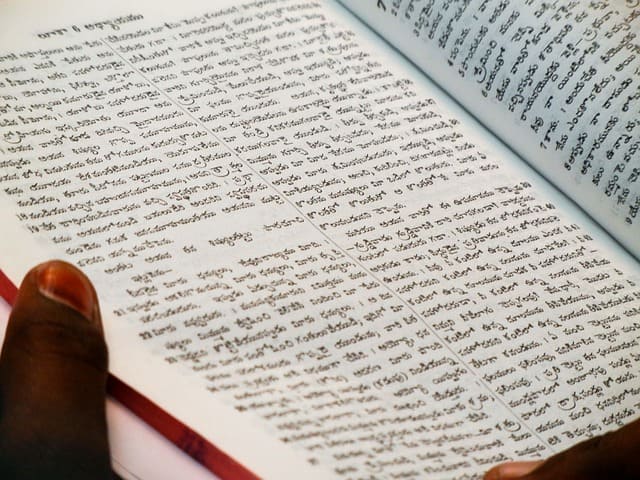
Many people type in Unicode every day. It is the default format on most phones and computers. But many print shops, designers, and office systems still ask for text in Shree Lipi. This creates a gap. You type in one format, and the system needs another. A good online converter helps close this gap.
This guide explains how to convert Unicode text to Shree Lipi in simple steps. The goal is to help students, employees, teachers, content writers and office staff handle this task without stress. You will learn what Unicode means, why Shree Lipi is still used, and how an online converter makes life easier.
This guide is long so you can use it as a full reference. You can also scroll to the parts you need. Every section has short lines and simple words for easy reading.
What is Unicode
Unicode is a standard text format that covers almost all writing systems. Your phone, laptop and online apps use this format. Unicode supports many letters and symbols. That is why it works well on social sites, email and search platforms.
When you type in Unicode, the letters stay the same on different devices. A sentence typed on one phone looks the same on another phone. This makes Unicode easy to use.
What is Shree Lipi
Shree Lipi is a font system used in print shops and design work. Many old offices still use it. Some government forms or press tasks also need this format. The letters in Shree Lipi look different from Unicode. The typing rules are also different. That is why you cannot copy and paste Unicode text into a Shree Lipi file.
You must convert it first.
Why the conversion matters
Many jobs need text in both formats. A student may type notes in Unicode, but the print shop asks for Shree Lipi. An office employee may prepare a file in Unicode, but their boss wants it in an old font layout. A news desk worker may write reports on a modern app, but the final print design still runs on Shree Lipi.
In all these cases, conversion is the only way to match both sides. A converter saves time by doing this fast.
Who needs a converter
A Unicode to Shree Lipi converter is useful for many people. Here are some simple scenarios.
Student scenario
A student writes an essay in Unicode on a phone. Later the teacher asks for a print file in a font the school lab uses. The student finds it hard to type everything again. A converter lets the student paste the Unicode text, convert it, and get the new font style within seconds. It saves hours of typing and reduces mistakes.
Employee scenario
An office worker gets a project that needs both soft copy and print-ready copy. The worker writes the main draft in Unicode. The design team asks for Shree Lipi to fit their print template. The worker cannot retype the whole file. A converter helps make the shift fast. This reduces stress and keeps the task on track.
Both cases show why a converter is helpful. It removes extra steps and keeps the text clean.
How a Unicode to Shree Lipi converter works
A converter maps each Unicode letter to the matching Shree Lipi letter. It uses a set of rules to match shapes and symbols. You paste Unicode text. The system checks each letter one by one. It picks the right match. Then it builds a new text string in the Shree Lipi pattern.
The tool gives you the new text to copy and use. You can paste it into a design app, text file or print form.
Step by step guide
These steps help anyone use the converter with ease.
Step 1: Type or paste Unicode text
Write your text in any app. Then copy the full text. Open the converter page. Paste the text inside the box. Make sure your text has no extra spaces at the start or end.
Step 2: Click the convert button
Click the convert button. The tool reads your text. It checks each letter. It builds the output in Shree Lipi format.
Step 3: Copy the output
Once the tool shows the new text, copy it. Paste it into a document, design app or print layout. Check the final file to make sure the letters look right.
Step 4: Save the file
Save the output file so you can use it later. Store a backup in case you need to edit it again.
These steps stay the same for short and long text.
Why students like this tool
Students often handle assignments with tight deadlines. Many do not know old font systems. When a teacher or print shop asks for Shree Lipi, they get stressed. A converter gives them a fast and simple way to switch formats.
Students can also use this tool for:
- project reports
- charts
- class posters
- event banners
- club flyers
This saves time and lets them focus on their work.
Why office staff depend on it
Many offices still use old design apps for printing. Workers write letters, notices, forms and data sheets in Unicode. The final version must match a layout based on Shree Lipi. Without a converter, the employee must retype or call a designer. This slows the office.
A converter helps staff:
- send files faster
- avoid typing errors
- keep text neat
- stay on schedule
This is helpful in busy offices.
How teachers and writers use it
A teacher may prepare worksheets or exam papers. They type in Unicode for ease. But the school print system uses old fonts. A converter helps complete the task without extra steps.
Content writers use it to prepare print drafts. They often shift between many fonts. A converter gives them control and keeps the text clean.
Tips to get clean output
You can follow some tips to get the best result.
Keep the text simple
Avoid rare symbols before conversion. These may not map well. Convert basic letters first. Add special marks later if needed.
Check for spacing
Check the spaces between words. Unicode spacing may not match the new font. Edit the final output if any gaps look odd.
Convert in small parts
If you have a long file, convert it in parts. This helps control errors. You can join the parts later in your editor.
Keep a Unicode copy
Always keep a backup of your Unicode text. If you need edits, you can change the Unicode file and convert again.
Why this tool saves time
Typing long text twice takes many hours. Even a small mistake can change meaning. A converter cuts this extra work. It gives fast output with clean mapping. You only need to edit small parts if needed.
This helps:
- students under time limits
- workers with many files
- teachers with large sets of notes
- writers with tight deadlines
Common uses of converted text
Converted text helps in many fields.
Print media
Press work, pamphlets, booklets and banners often use Shree Lipi. The converted text fits their system without a full redesign.
Government forms
Some forms need old font systems. The converted text helps match the form layout.
Local shops
Print shops that work with old software often need Shree Lipi. Converted text helps them print clean files.
Schools
Schools use mixed systems. Unicode for teachers, but Shree Lipi for print labs.
Why conversion still matters today
Many people ask why old fonts still exist. Some systems cannot shift to Unicode due to cost. Some layouts rely on fixed shapes. Many designers also learned old fonts long ago. So Unicode and Shree Lipi both stay relevant.
Conversion bridges this. It lets modern typing match old systems fast.
SEO points that help readers find this guide
This blog uses simple words and clear meaning. It helps readers who search for topics like:
- how to convert Unicode text
- Shree Lipi font guide
- text conversion steps
- Unicode typing help
- print-ready text format
These phrases help search tools find this guide. The blog explains each part with clear detail so readers trust the steps.
Building trust with clear guidance
People need clear help when handling two different text formats. This guide shows each step with simple words. It uses real tasks that students and workers face. The instructions match what readers use in daily life.
You get an honest guide from start to end. The focus stays on facts, not buzzwords. This makes the content reliable.
Final thoughts
Unicode is everywhere. But many print and design systems still use Shree Lipi. This gap creates extra work for many people. A Unicode to Shree Lipi converter makes this task simple. Students finish projects faster. Office workers submit files with ease. Teachers and writers save time.
You can paste your text, press one button and get the output you need. The guide above helps you do that without stress. If you follow the steps and tips, your final file will look clean and ready for print or design use.

2 thoughts on “How to Convert Unicode to Shree Lipi in Simple Steps”